Free Demo


Linux Foundation CKS Exam Syllabus Topics:
| Topic | Details |
|---|---|
| Topic 1 |
|
| Topic 2 |
|
| Topic 3 |
|
Reference: https://training.linuxfoundation.org/certification/certified-kubernetes-security-specialist/#exams
You may be still hesitating about if you should purchase CKS braindumps pdf or CKS exam cram. You have no 100% confidence that you can pass exam yourself. So I want to ask you why you attend the CKS real test. If you just want to improve your skills and study more knowledge about Certified Kubernetes Security Specialist (CKS) I will advise you to prepare yourself and don't care about pass score. If you really want to pass exam for Linux Foundation CKS certification I will advise you to purchase CKS braindumps pdf or CKS exam cram.

Our CKS braindumps pdf guarantee candidates pass exam 100% for sure. Sometimes people say that our content material of our exam cram is nearly same with CKS real test. Normally we say that our CKS braindumps pdf includes 80% questions and answers of Linux Foundation real test. If you aim to pass exam, We BriandumpsIT will be your best choice. So far more than 100000+ candidates all over the world pass exam with the help of our CKS braindumps pdf. Our passing rate for CKS is high up to 99.27% based on past data. All braindumps pdf is latest, valid and exact. Our professional and experienced education experts keep the exam cram material high-quality and easy to study. We are proud of our CKS braindumps pdf with high pass rate and good reputation.
Except of good material of CKS braindumps pdf our success is inseparable from our gold customer service. We build long-term cooperation with a large quantity of companies owing to our best customer service.
Before you buy we provide you the free demo for your reference. If you still have questions about Linux Foundation CKS braindumps pdf, you can contact with us. Our customer service representative is 7*24 on-line (including all official holidays). We reply all questions and advise about CKS braindumps pdf in two hours. If you do not know how to choose PDF version, Software version and on-line APP version we will advise you based on your study habit. It is our pleasure to serve for you. (If not received within 12 hours, please contact us. Note: don't forget to check your spam.)
After you pay we will send you the CKS braindumps pdf download link and password immediately, we are also on duty in holidays. If you have problems about downloading or some functions about Software version and on-line APP version of exam cram we are pleased to solve with you.
After you pass CKS if you do not want to receive our next update CKS - Certified Kubernetes Security Specialist (CKS) braindumps pdf please tell us. Or our system will send you the update braindumps pdf automatically once it updates within one year service warranty. If you want to purchase other exam cram from us we will give you discount. We would like to build long-term cooperation with the company representative about CKS braindumps pdf.
We guarantee all people can pass exam if you pay attention on our Linux Foundation CKS braindumps pdf. But just in case someone fails the exam, we guarantee we will refund unconditionally in 3 days after you send the unqualified exam score to us. We have confidence in our CKS (Certified Kubernetes Security Specialist (CKS)) braindumps pdf. Our watchword is "Customer First, Service foremost" and "No Helpful, Full Refund".
Linux Foundation Certified Kubernetes Security Specialist (CKS) Sample Questions:
SIMULATION
Service is running on port 389 inside the system, find the process-id of the process, and stores the names of all the open-files inside the /candidate/KH77539/files.txt, and also delete the binary.
Correct Answer:
See the Explanation belowExplanation:
root# netstat -ltnup
Active Internet connections (only servers)
Proto Recv-Q Send-Q Local Address Foreign Address State PID/Program name tcp 0 0 127.0.0.1:17600 0.0.0.0:* LISTEN 1293/dropbox tcp 0 0 127.0.0.1:17603 0.0.0.0:* LISTEN 1293/dropbox tcp 0 0 0.0.0.0:22 0.0.0.0:* LISTEN 575/sshd tcp 0 0 127.0.0.1:9393 0.0.0.0:* LISTEN 900/perl tcp 0 0 :::80 :::* LISTEN 9583/docker-proxy tcp 0 0 :::443 :::* LISTEN 9571/docker-proxy udp 0 0 0.0.0.0:68 0.0.0.0:* 8822/dhcpcd
...
root# netstat -ltnup | grep ':22'
tcp 0 0 0.0.0.0:22 0.0.0.0:* LISTEN 575/sshd
The ss command is the replacement of the netstat command.
Now let's see how to use the ss command to see which process is listening on port 22:
root# ss -ltnup 'sport = :22'
Netid State Recv-Q Send-Q Local Address:Port Peer Address:Port
tcp LISTEN 0 128 0.0.0.0:22 0.0.0.0:* users:("sshd",pid=575,fd=3))
SIMULATION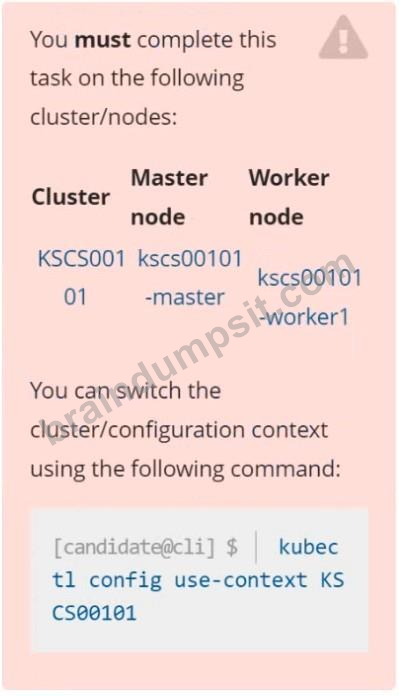
Context
A default-deny NetworkPolicy avoids to accidentally expose a Pod in a namespace that doesn't have any other NetworkPolicy defined.
Task
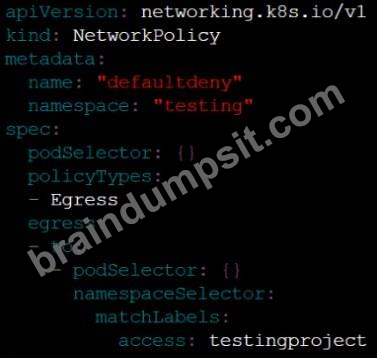
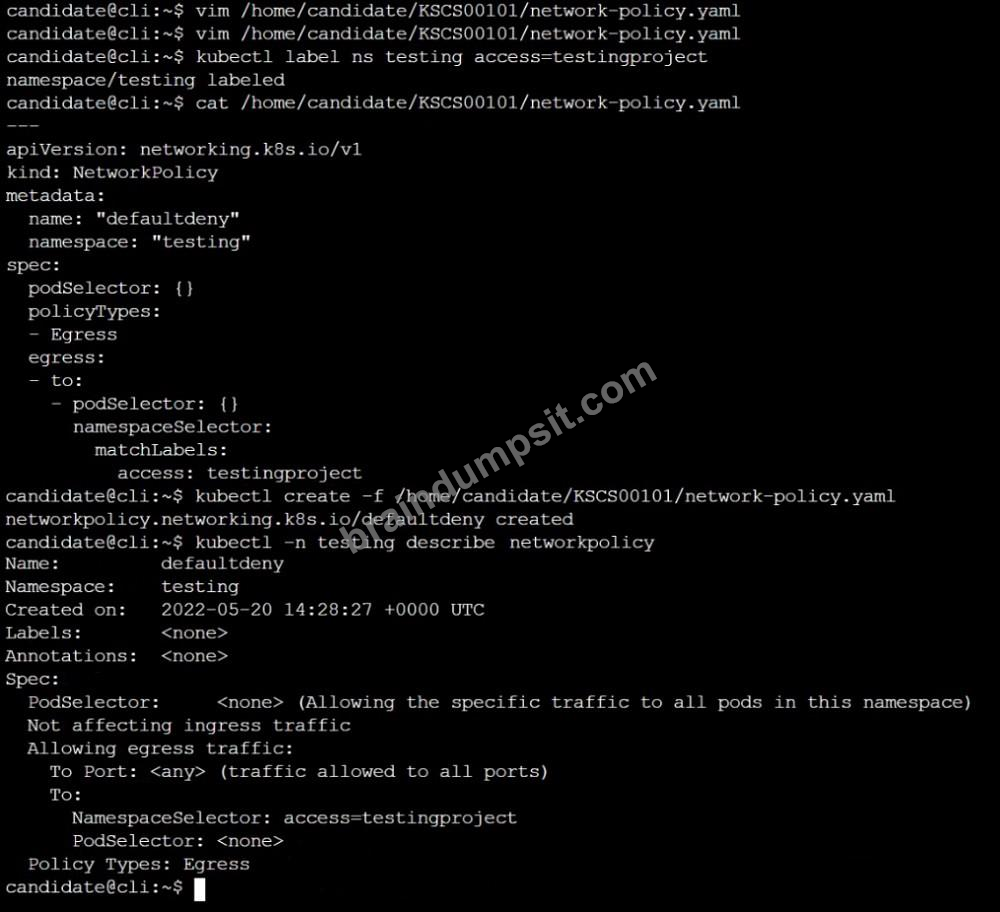
Create a new default-deny NetworkPolicy named defaultdeny in the namespace testing for all traffic of type Egress.
The new NetworkPolicy must deny all Egress traffic in the namespace testing.
Apply the newly created default-deny NetworkPolicy to all Pods running in namespace testing.
Correct Answer:
See the Explanation below
Explanation: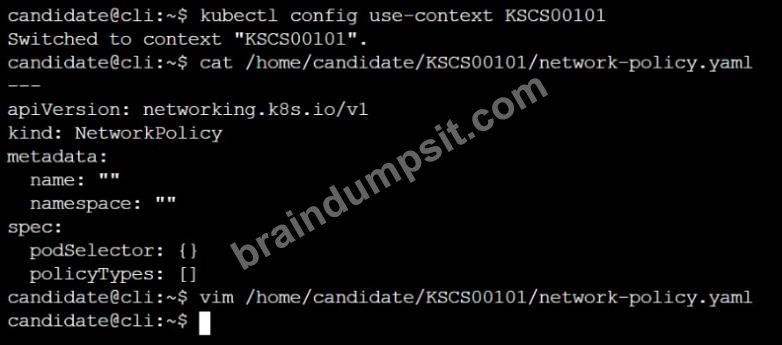
SIMULATION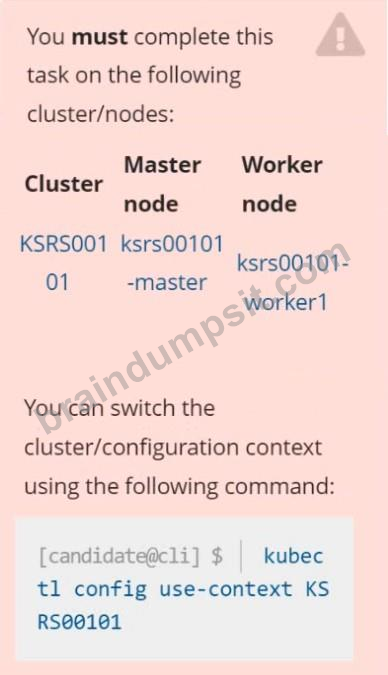
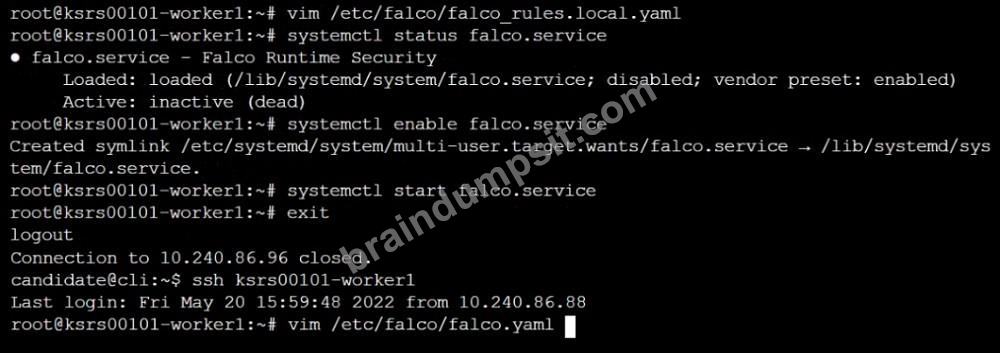
Two tools are pre-installed on the cluster's worker node:
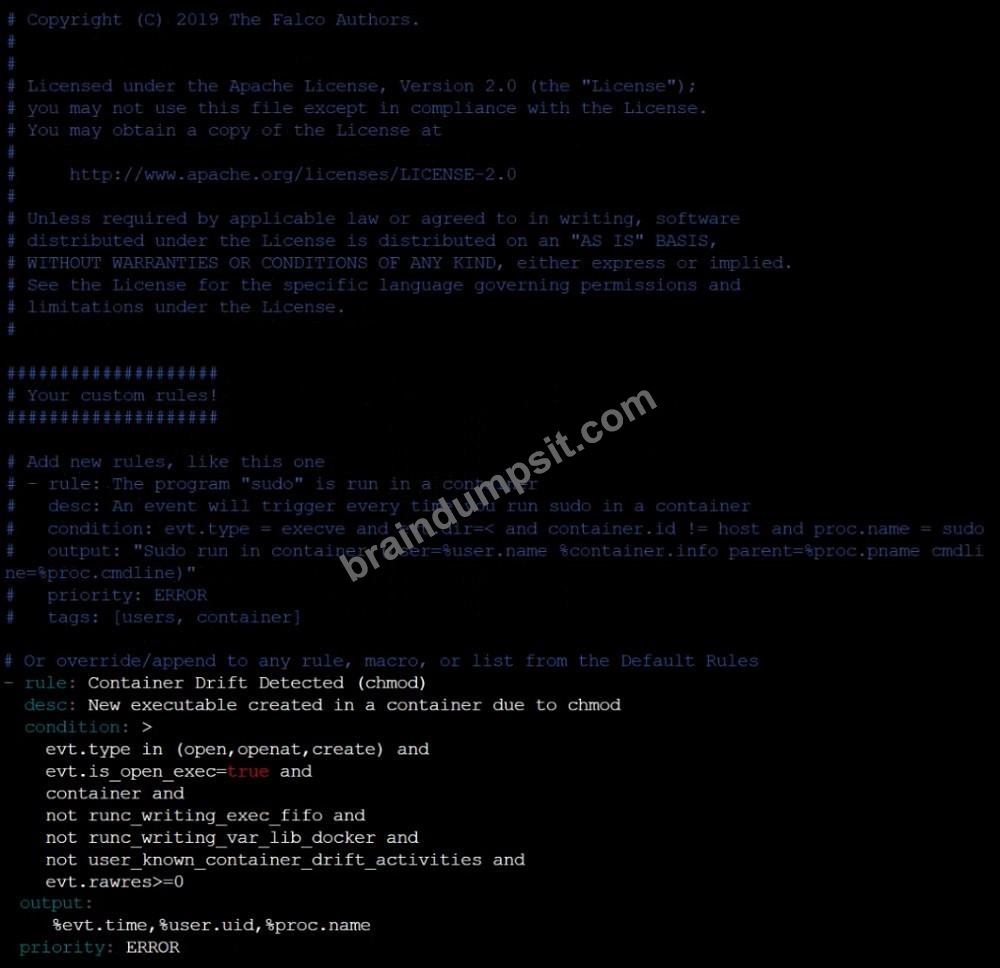
Using the tool of your choice (including any non pre-installed tool), analyze the container's behavior for at least 30 seconds, using filters that detect newly spawning and executing processes.
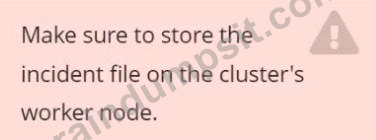
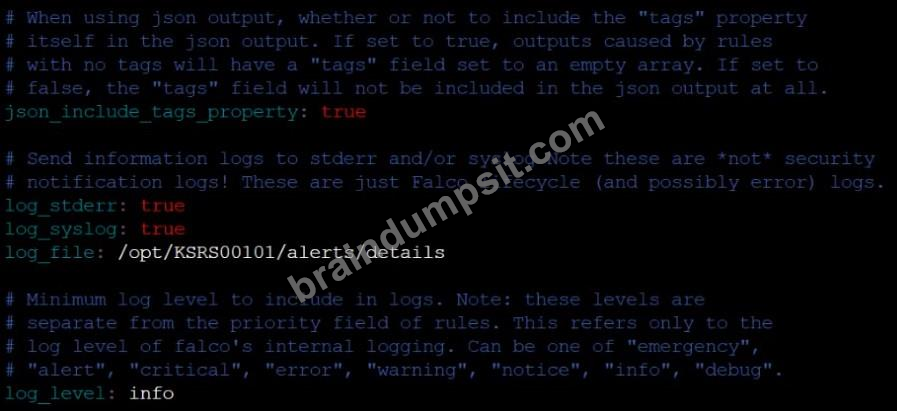
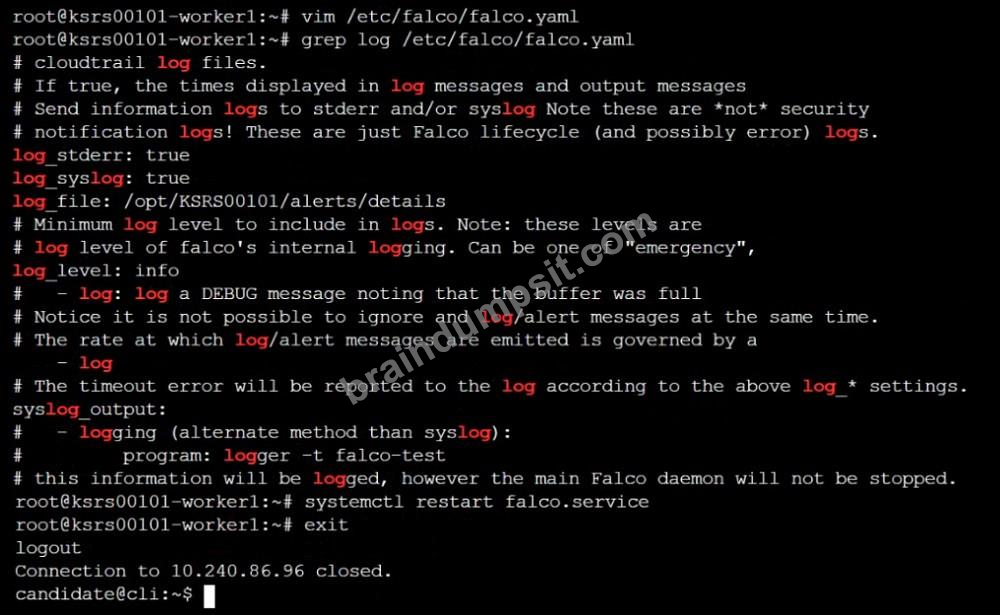
Store an incident file at /opt/KSRS00101/alerts/details, containing the detected incidents, one per line, in the following format: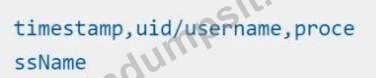
The following example shows a properly formatted incident file: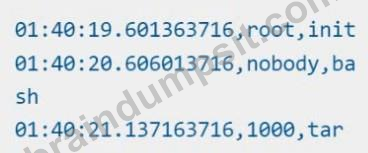

Correct Answer:
See explanation below
Explanation: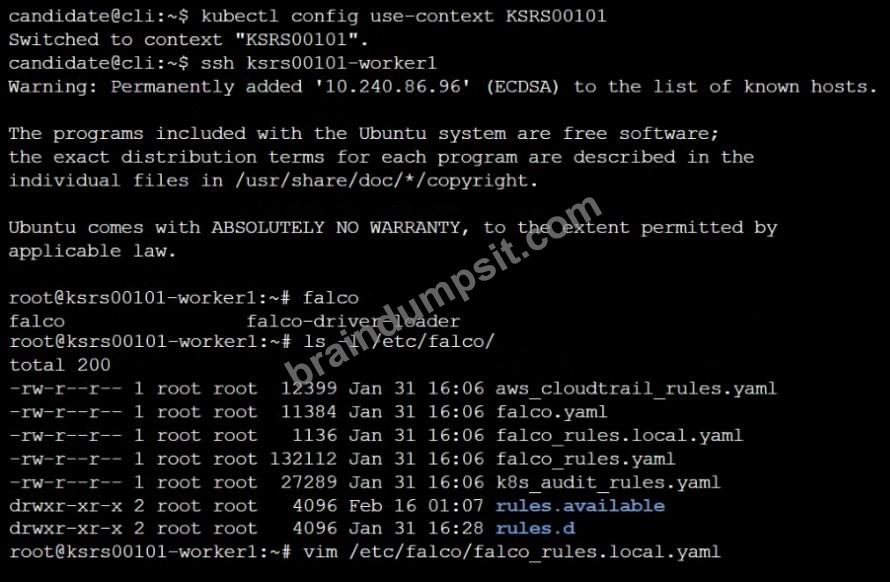
SIMULATION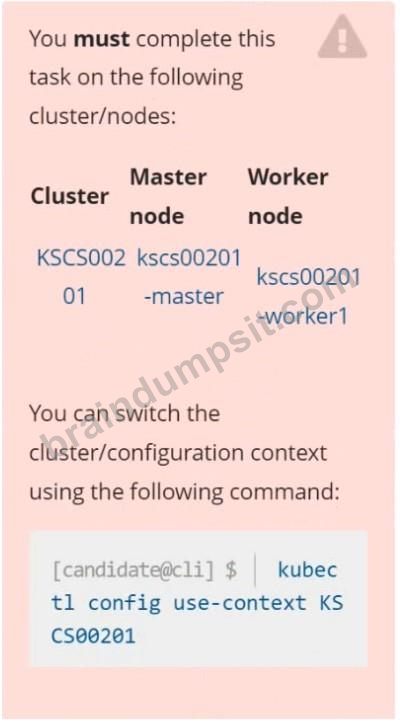
Context
A CIS Benchmark tool was run against the kubeadm-created cluster and found multiple issues that must be addressed immediately.
Task
Fix all issues via configuration and restart the affected components to ensure the new settings take effect.
Fix all of the following violations that were found against the API server: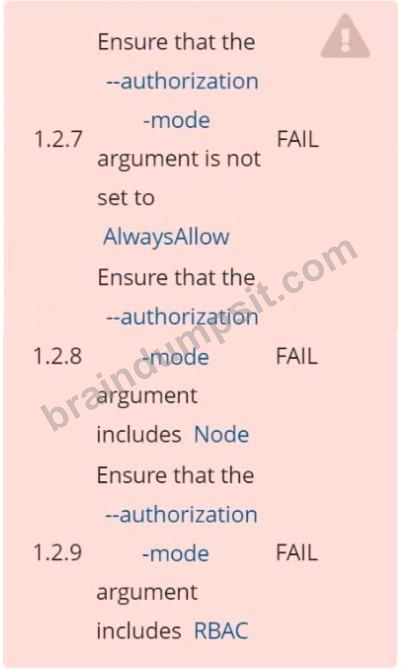
Fix all of the following violations that were found against the Kubelet: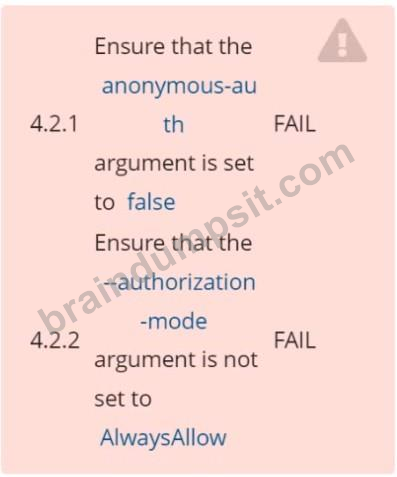
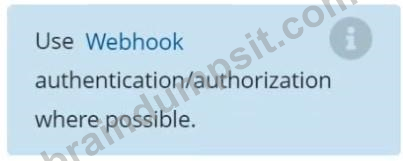
Fix all of the following violations that were found against etcd: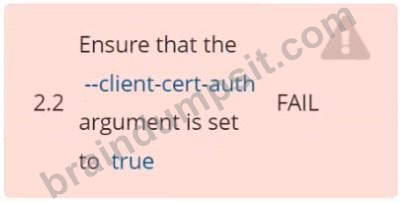
Correct Answer:
See the Explanation below
Explanation: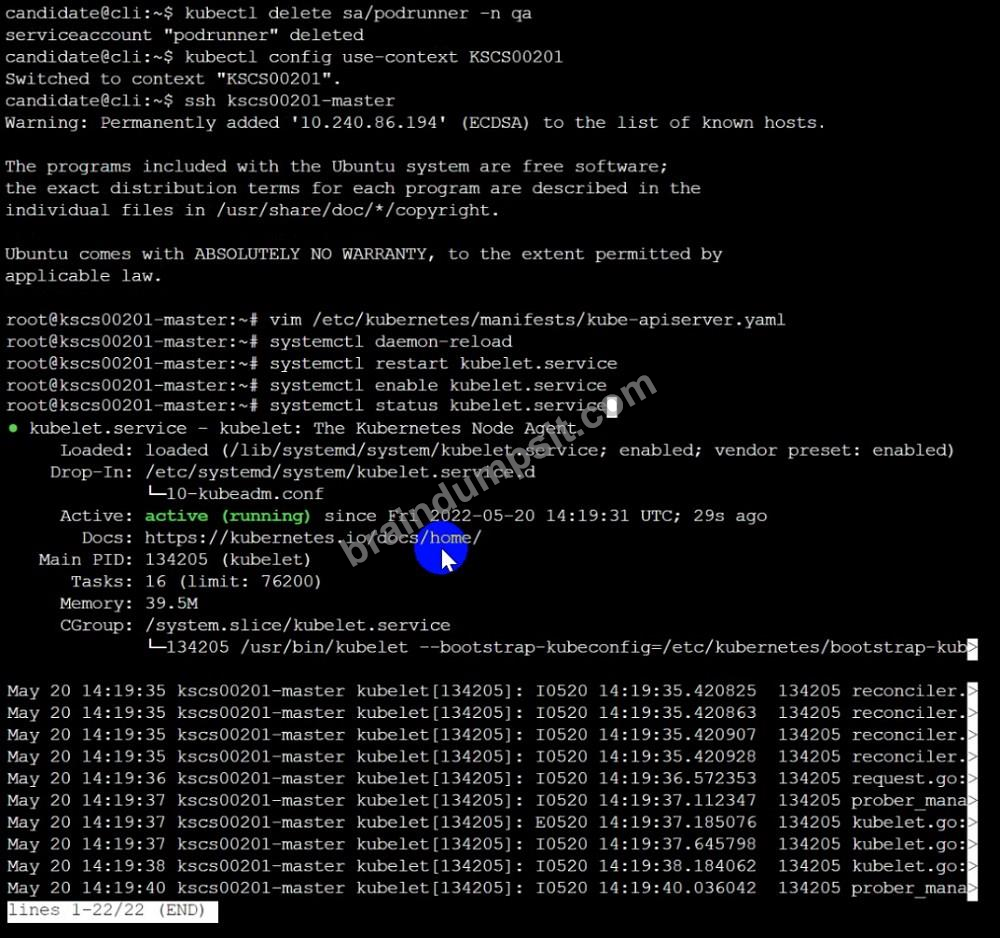
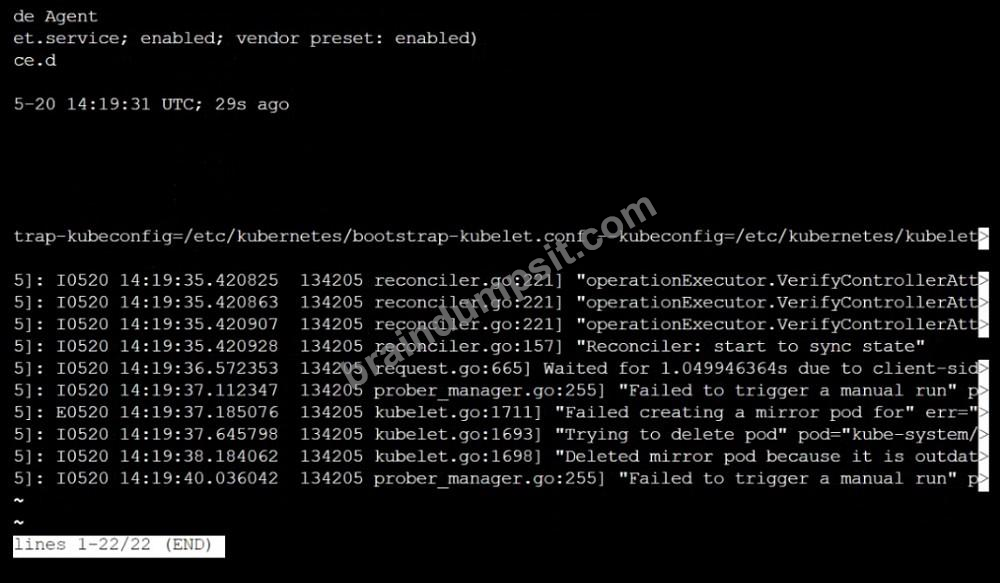
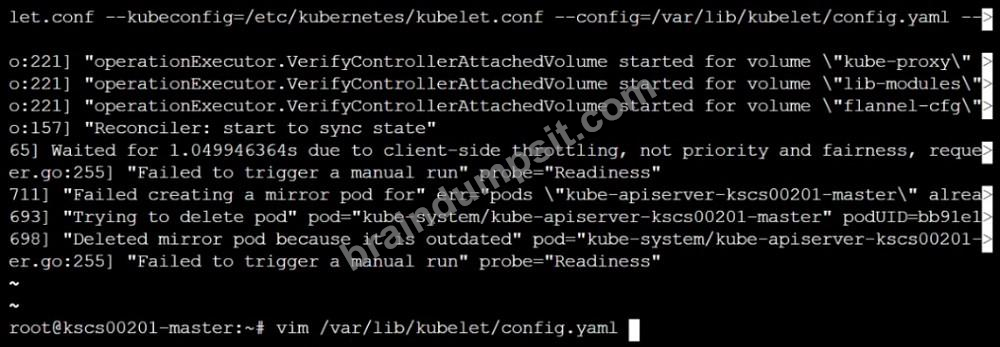
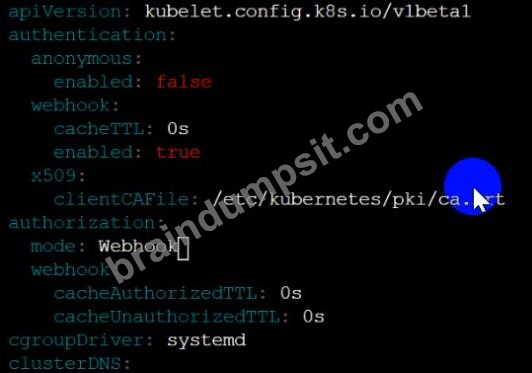
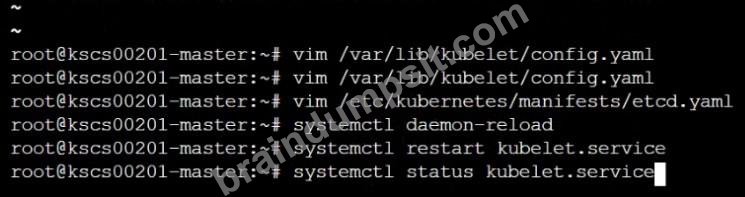

SIMULATION
Context
For testing purposes, the kubeadm provisioned cluster 's API server
was configured to allow unauthenticated and unauthorized access.
Task
First, secure the cluster 's API server configuring it as follows:
. Forbid anonymous authentication
. Use authorization mode Node,RBAC
. Use admission controller NodeRestriction
The cluster uses the Docker Engine as its container runtime . If needed, use the docker command to troubleshoot running containers.
kubectl is configured to use unauthenticated and unauthorized access. You do not have to change it, but be aware that kubectl will stop working once you have secured the cluster .
You can use the cluster 's original kubectl configuration file located at etc/kubernetes/admin.conf to access the secured cluster.
Next, to clean up, remove the ClusterRoleBinding
system:anonymous.
Correct Answer:
See the Explanation below for complete solution
Explanation:
1) SSH to control-plane node
ssh cks000002
sudo -i
2) Edit API Server static pod manifest
API server in kubeadm runs as a static pod.
vi /etc/kubernetes/manifests/kube-apiserver.yaml
3) Apply required API Server security settings
3.1 Forbid anonymous authentication
Find command: section and ensure this line exists:
- --anonymous-auth=false
3.2 Use authorization mode Node,RBAC
Ensure exactly this line exists (and no AlwaysAllow):
- --authorization-mode=Node,RBAC
❌ Remove if present:
- --authorization-mode=AlwaysAllow
3.3 Enable admission controller NodeRestriction
Find --enable-admission-plugins and ensure NodeRestriction is included.
Correct example:
- --enable-admission-plugins=NodeRestriction
If other plugins already exist, append NodeRestriction, e.g.:
- --enable-admission-plugins=NamespaceLifecycle,ServiceAccount,NodeRestriction
4) Save file and let kubelet restart API server
Just save and exit (:wq)
Kubelet will automatically restart the API server pod.
5) Switch kubectl to secured config
Current kubectl will stop working after API server hardening.
export KUBECONFIG=/etc/kubernetes/admin.conf
Verify access:
kubectl get nodes
6) Remove insecure ClusterRoleBinding
Delete system:anonymous binding:
kubectl delete clusterrolebinding system:anonymous
Verify removal:
kubectl get clusterrolebinding | grep anonymous
(no output = correct)
7) Quick validation (optional but fast)
API server flags check:
grep -n "anonymous-auth" /etc/kubernetes/manifests/kube-apiserver.yaml
grep -n "authorization-mode" /etc/kubernetes/manifests/kube-apiserver.yaml grep -n "NodeRestriction" /etc/kubernetes/manifests/kube-apiserver.yaml
Viewing page 1 out of 14 pages.
Viewing questions 1-5 out of 66 questions.